
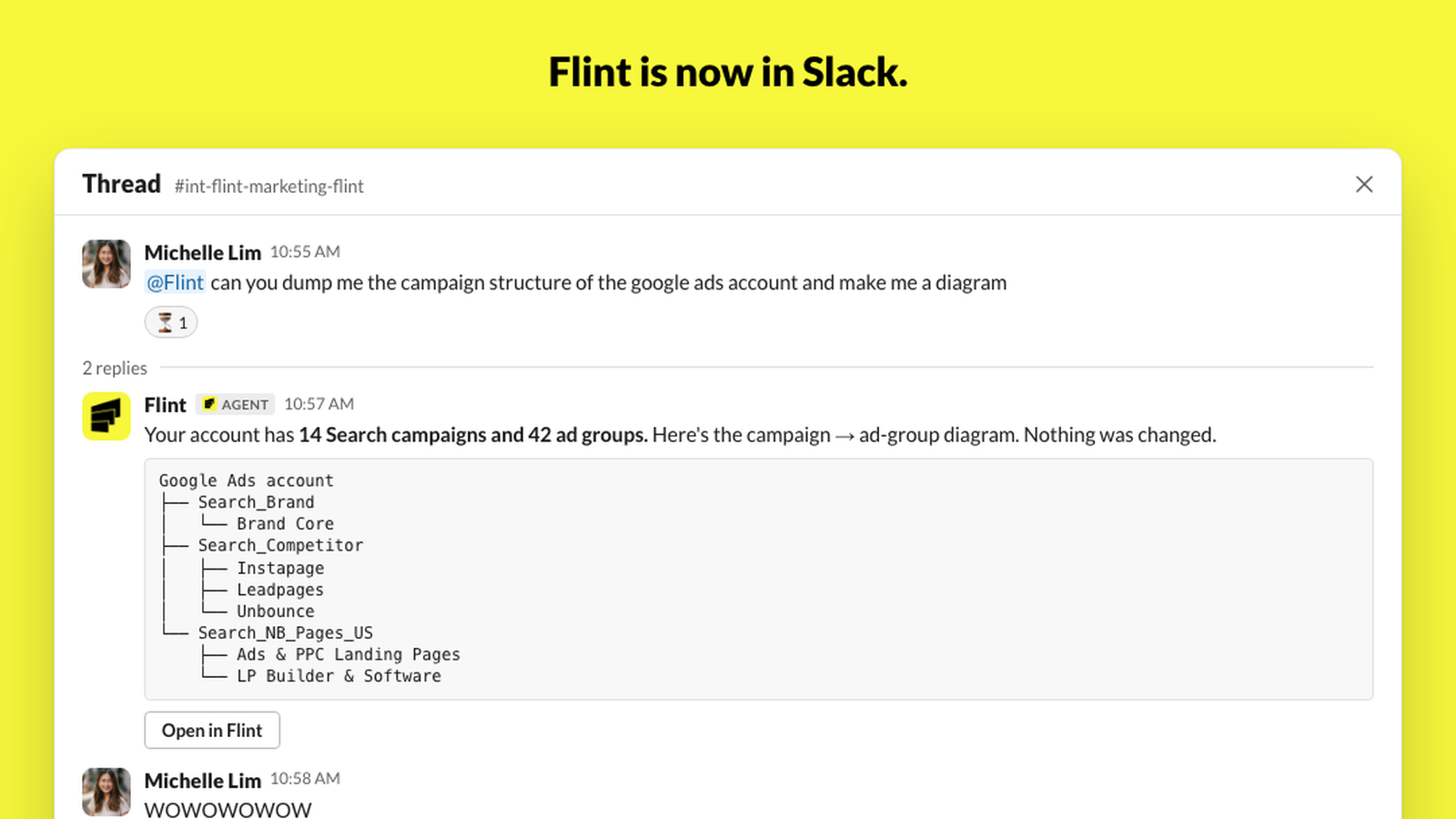
Tag @Flint in any channel. It does everything the Flint app does: builds and edits pages, audits your site, reads your Google Ads account, makes charts, and publishes when you tell it to.
Why Slack
Most of the work on a marketing site doesn't start in a site builder. It starts in Slack. Someone pastes a screenshot of a broken thumbnail. Someone asks what the team spent on Google Ads last quarter. Someone wants a new teammate on the careers page before the offsite. Then a person goes somewhere else to do it and comes back with a link.
We put Flint where the asks already are. The request and the result live in the same thread, with the people who asked.
What it does
Everything the Flint app does, from a thread.
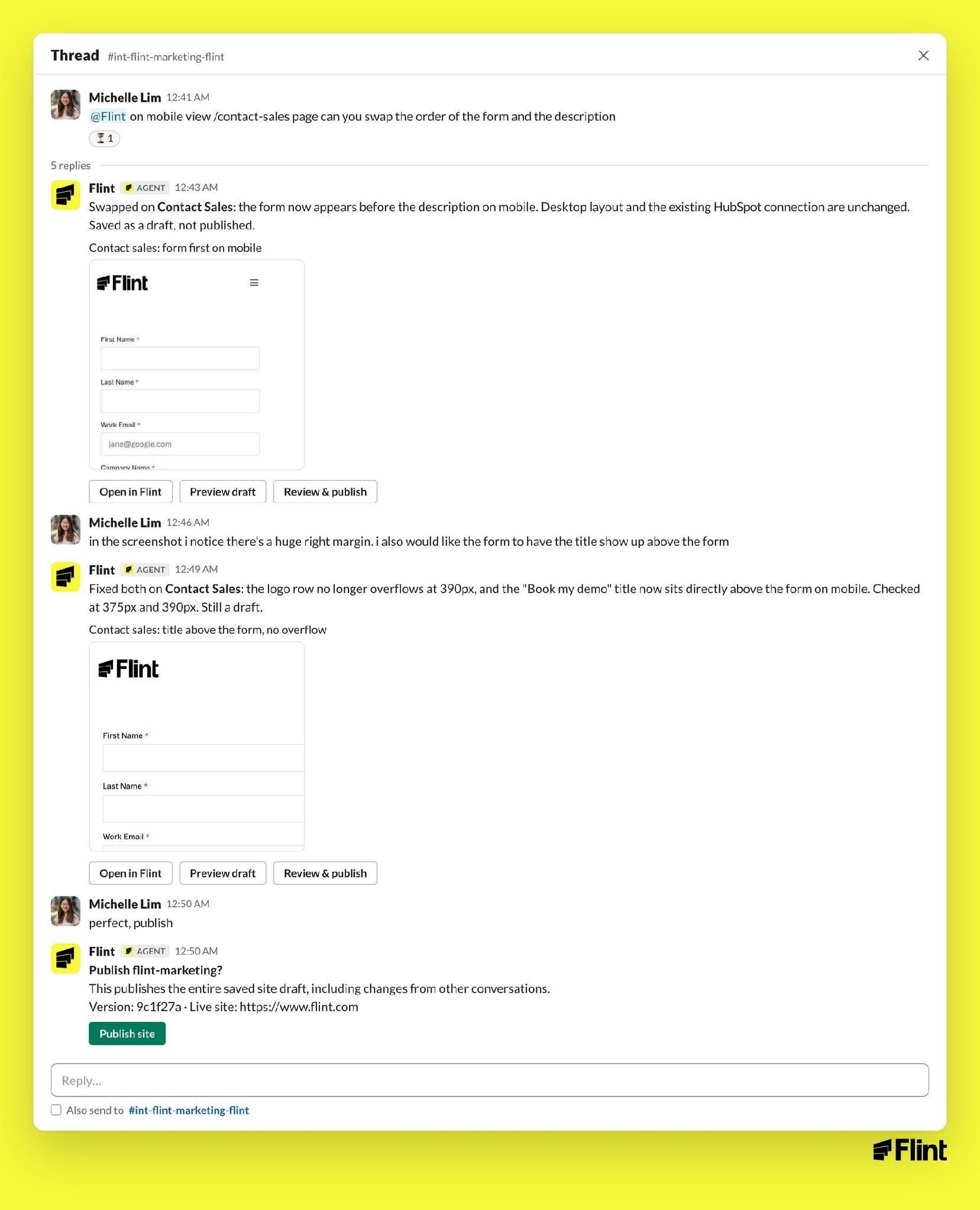
Pages. Build a page, edit one, fix a layout bug, swap an image. Flint saves a draft, posts a preview link and a screenshot, and waits.
@Flint on mobile view /contact-sales page can you swap the order of the form and the description
Swapped on Contact Sales: the form now appears before the description on mobile. Desktop layout and the existing HubSpot connection are unchanged. Saved as a draft, not published.
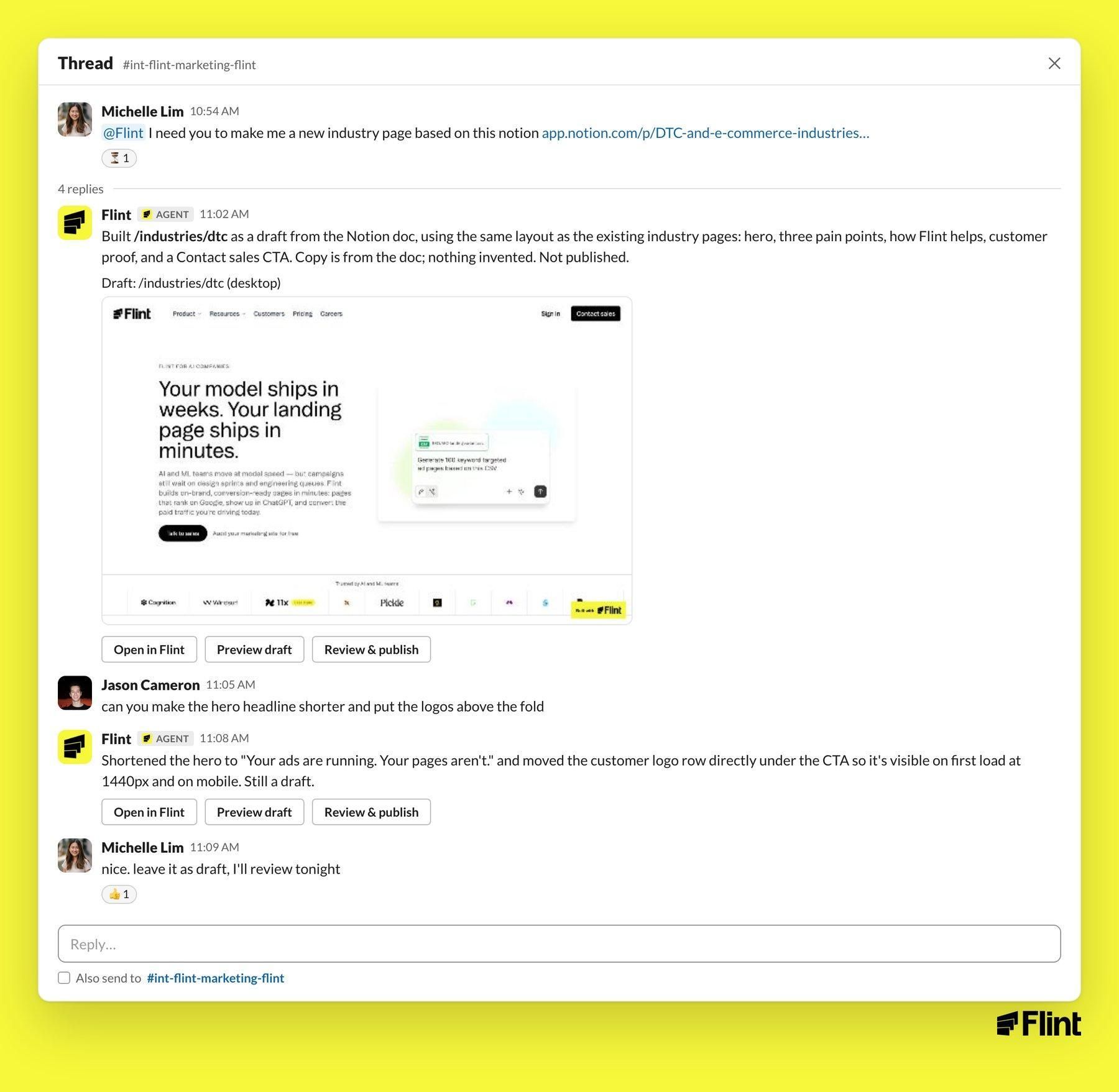
New pages work the same way. Point Flint at a doc and it builds a draft in your site's existing layout, posts a screenshot, and takes revisions in the thread.
Google Ads
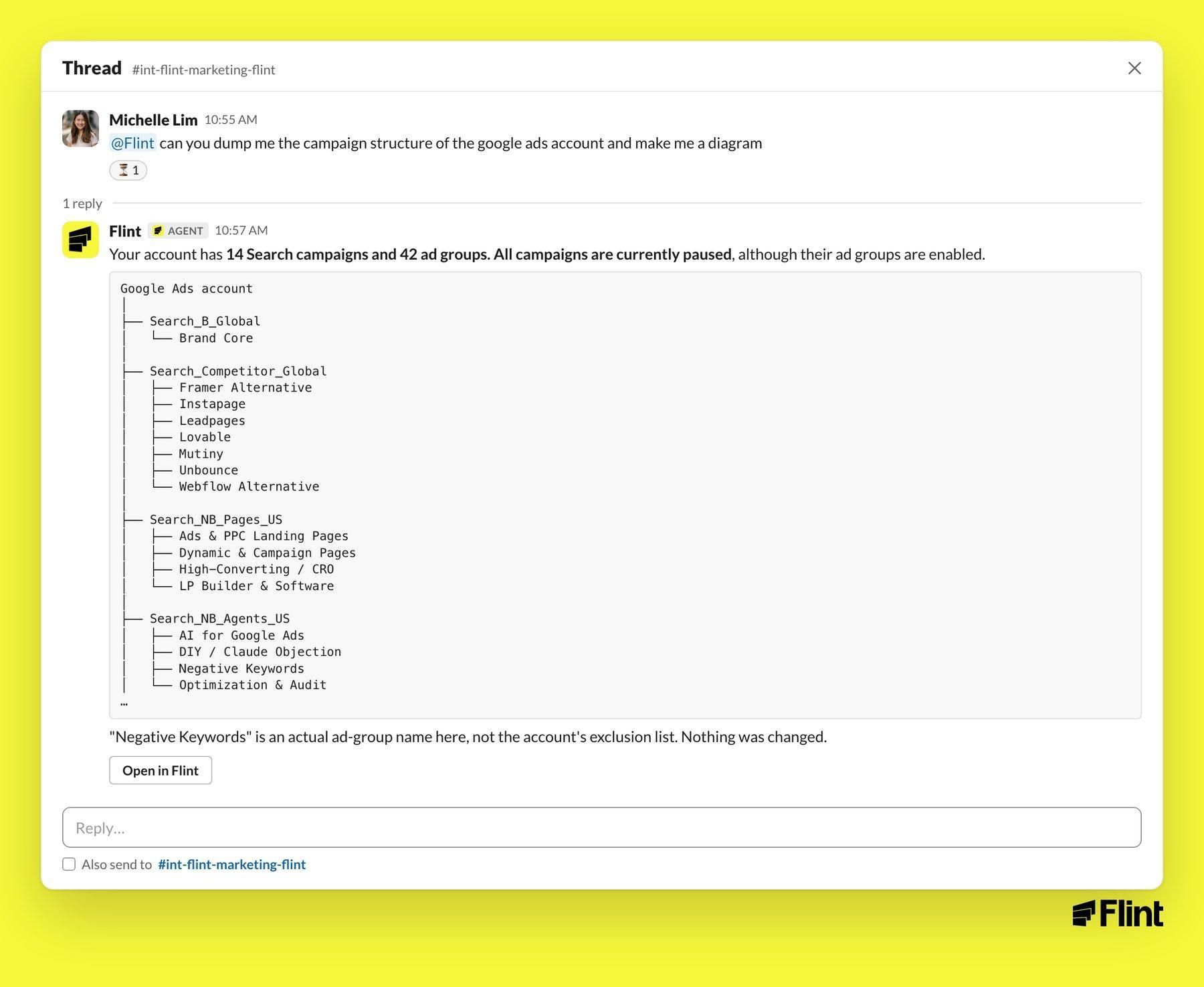
Performance, account structure, keyword breakouts, budget checks. Read-only unless you say otherwise.
@Flint can you dump me the campaign structure of the google ads account and make me a diagram
Audits
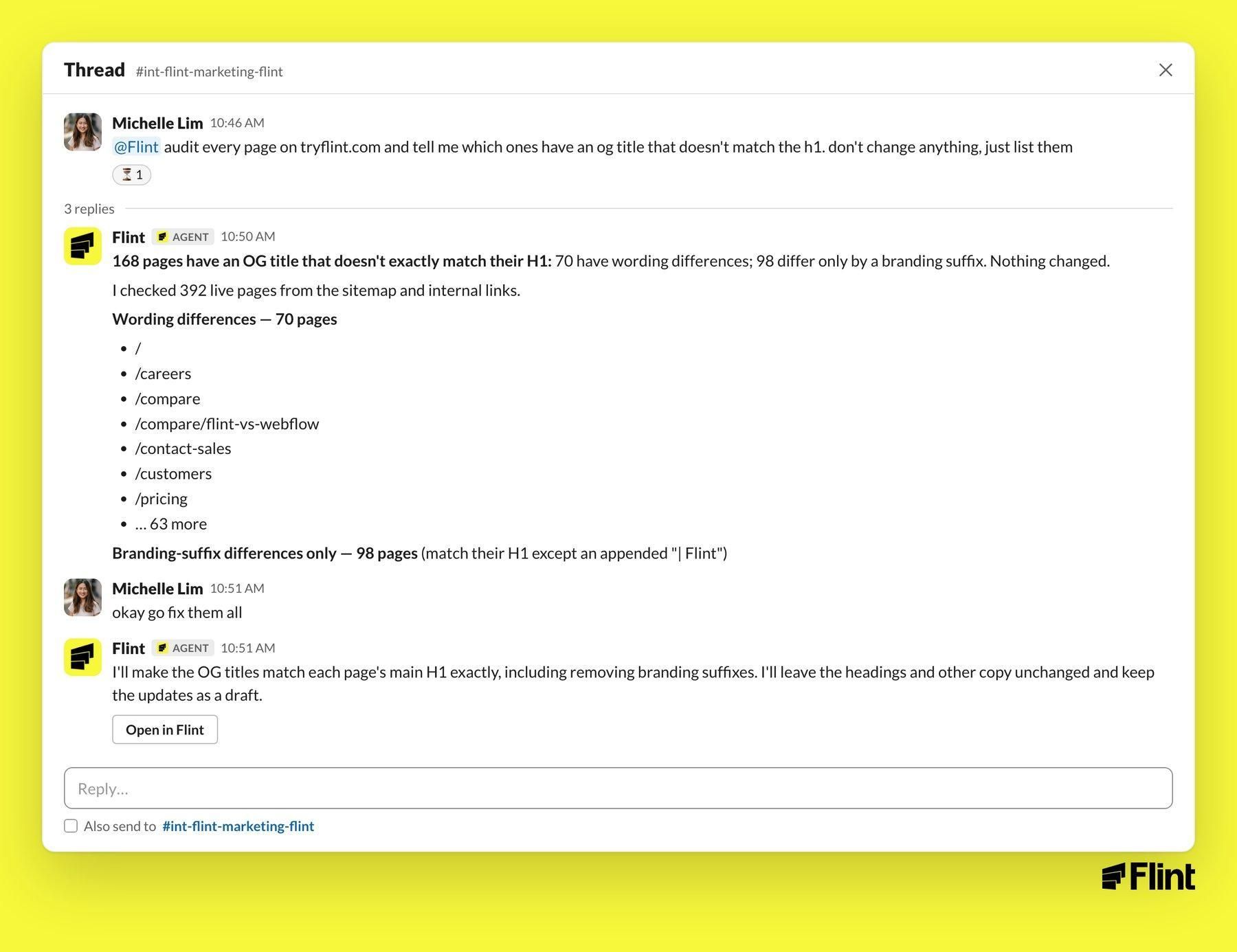
Titles, links, tracking tags, form handoffs. Flint lists what it found and changes nothing until you ask.
@Flint audit every page on tryflint.com and tell me which ones have an og title that doesn't match the h1. don't change anything, just list them
168 pages have an OG title that doesn't exactly match their H1: 70 have wording differences; 98 differ only by a branding suffix. Nothing changed.
okay go fix them all
Charts
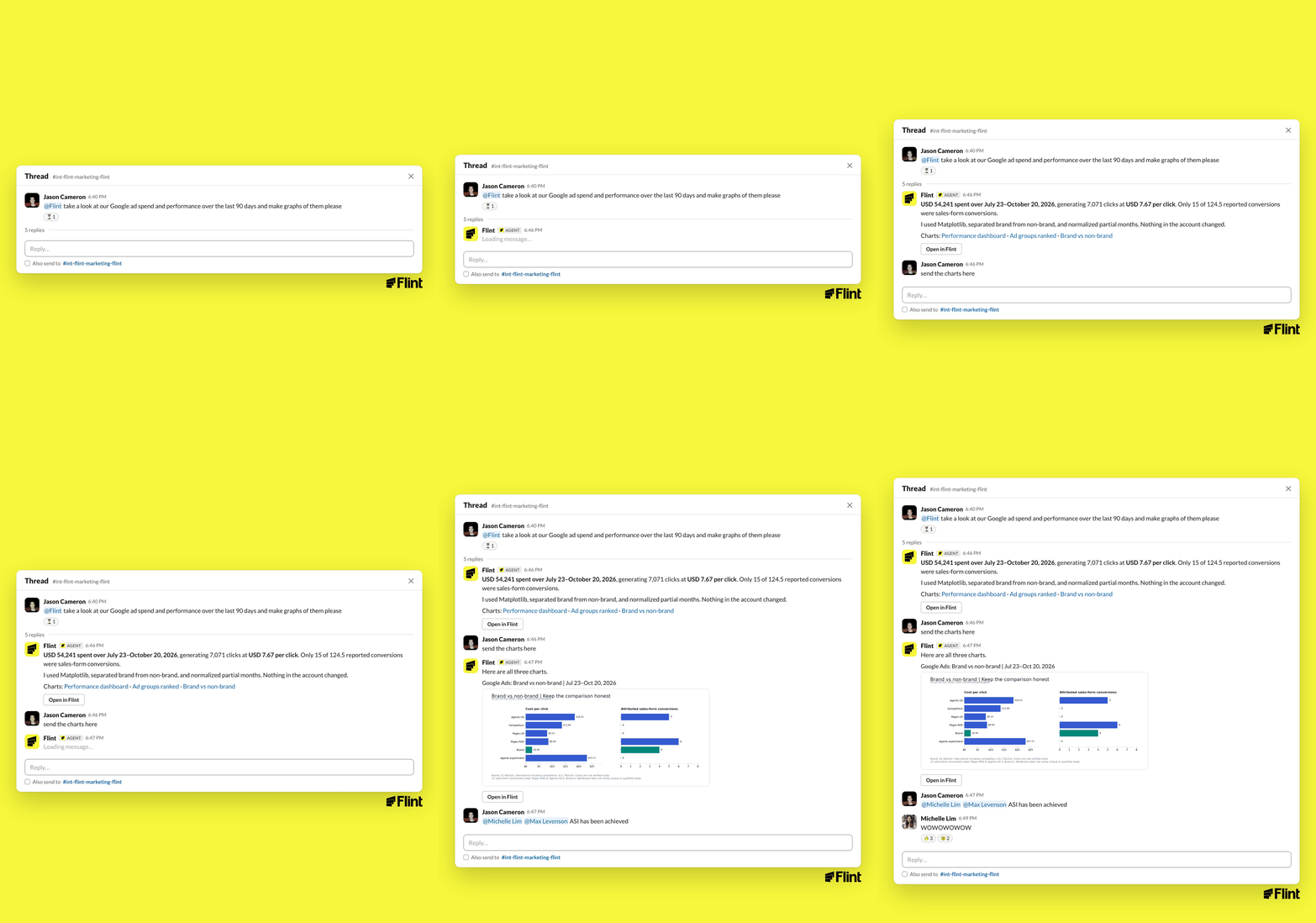
Ask for graphs and you get graphs.
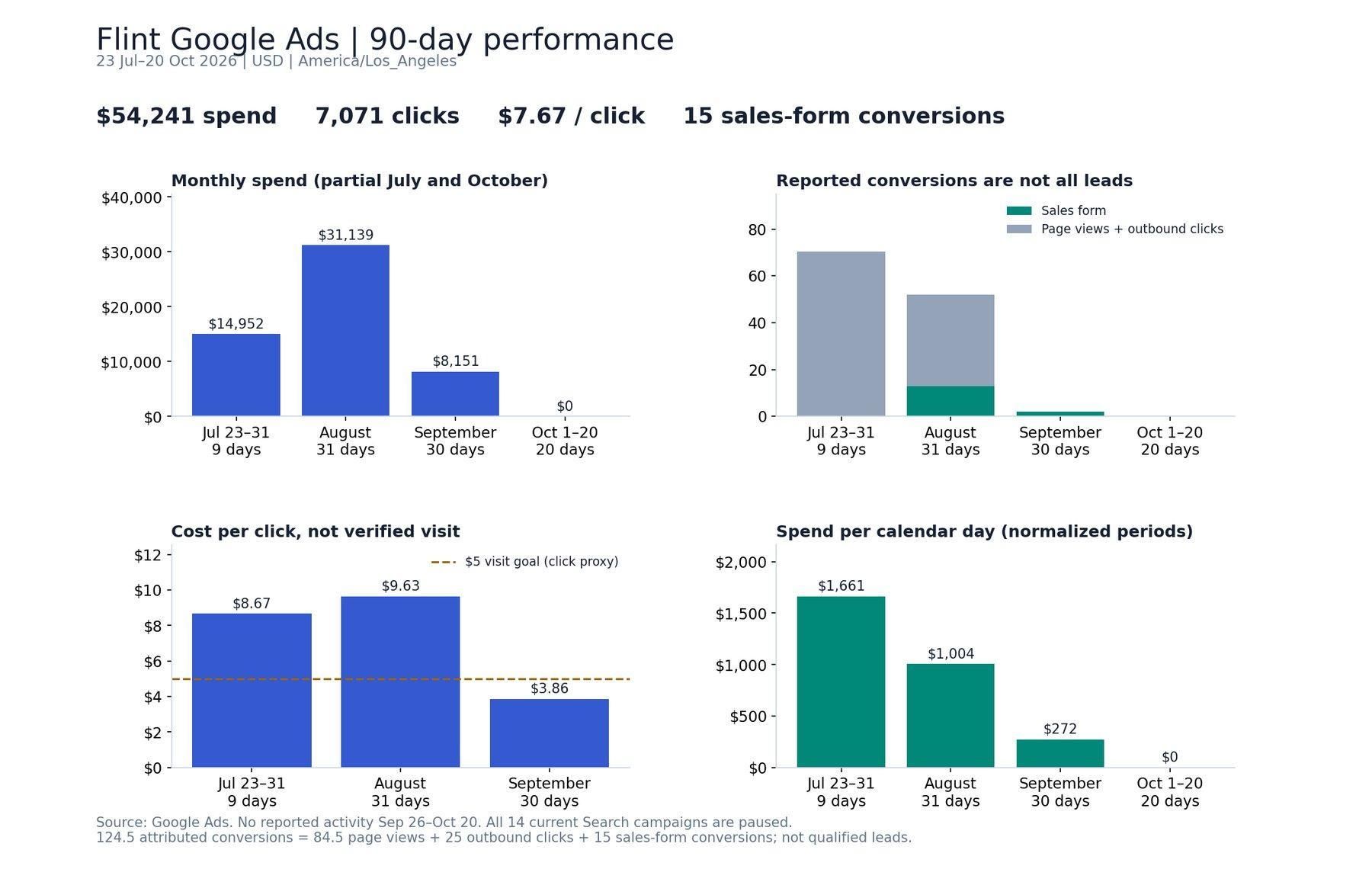
@Flint, take a look at our Google ad spend and performance over the last 90 days. Could you create graphs of them, please? Give Matplotlib a try.
Six minutes later: a reconciled spend summary, brand split from non-brand, partial months normalized, and three charts in the thread.
It works with your team and with other agents
The part we didn't plan for is how naturally Flint shares a thread.
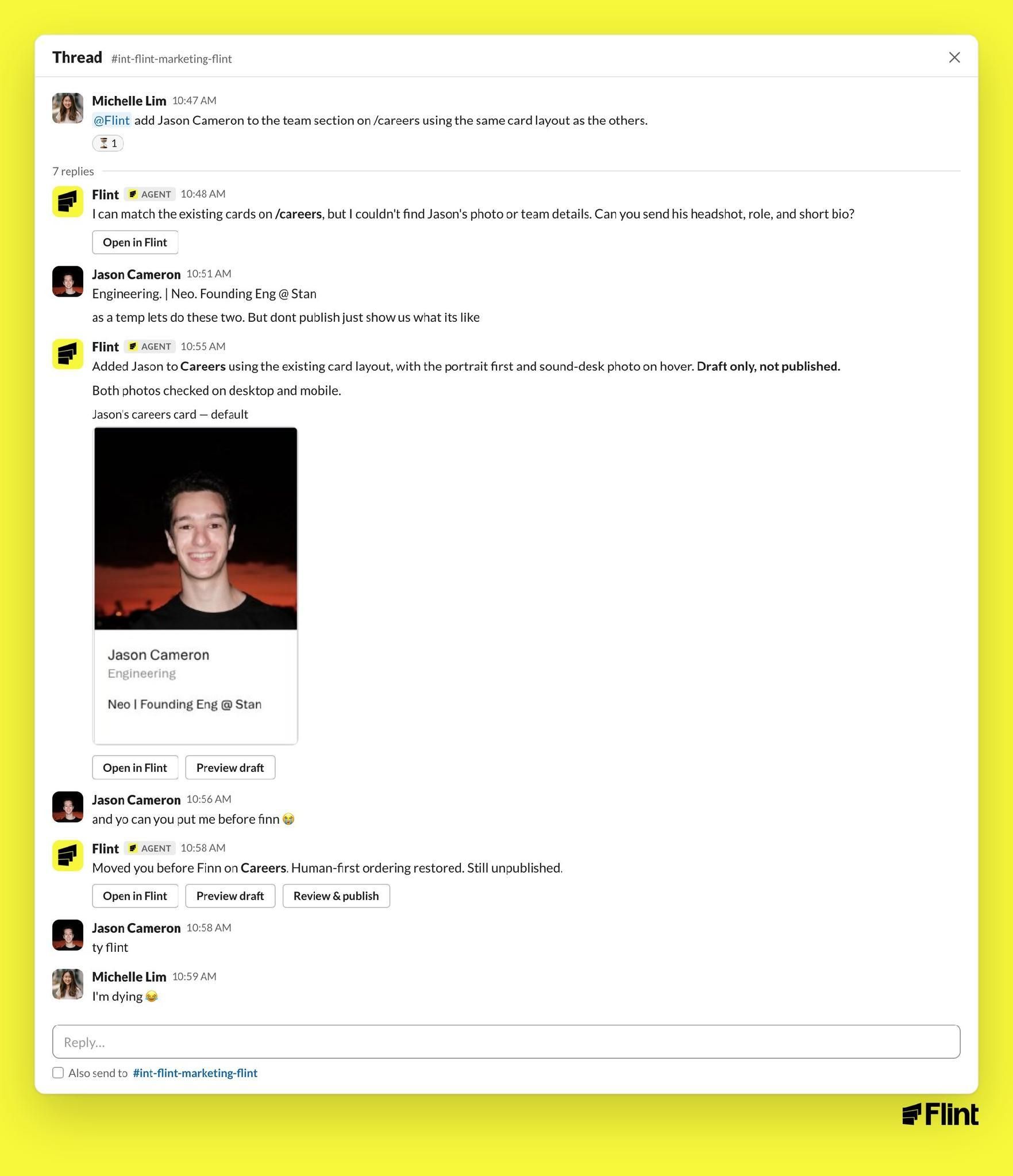
Two people, one thread. Michelle asked Flint to add Jason to the careers page. Flint asked for a headshot and a role. Jason jumped in with both, then asked to be moved "before Finn." Flint moved him. "Human-first ordering restored. Still unpublished."
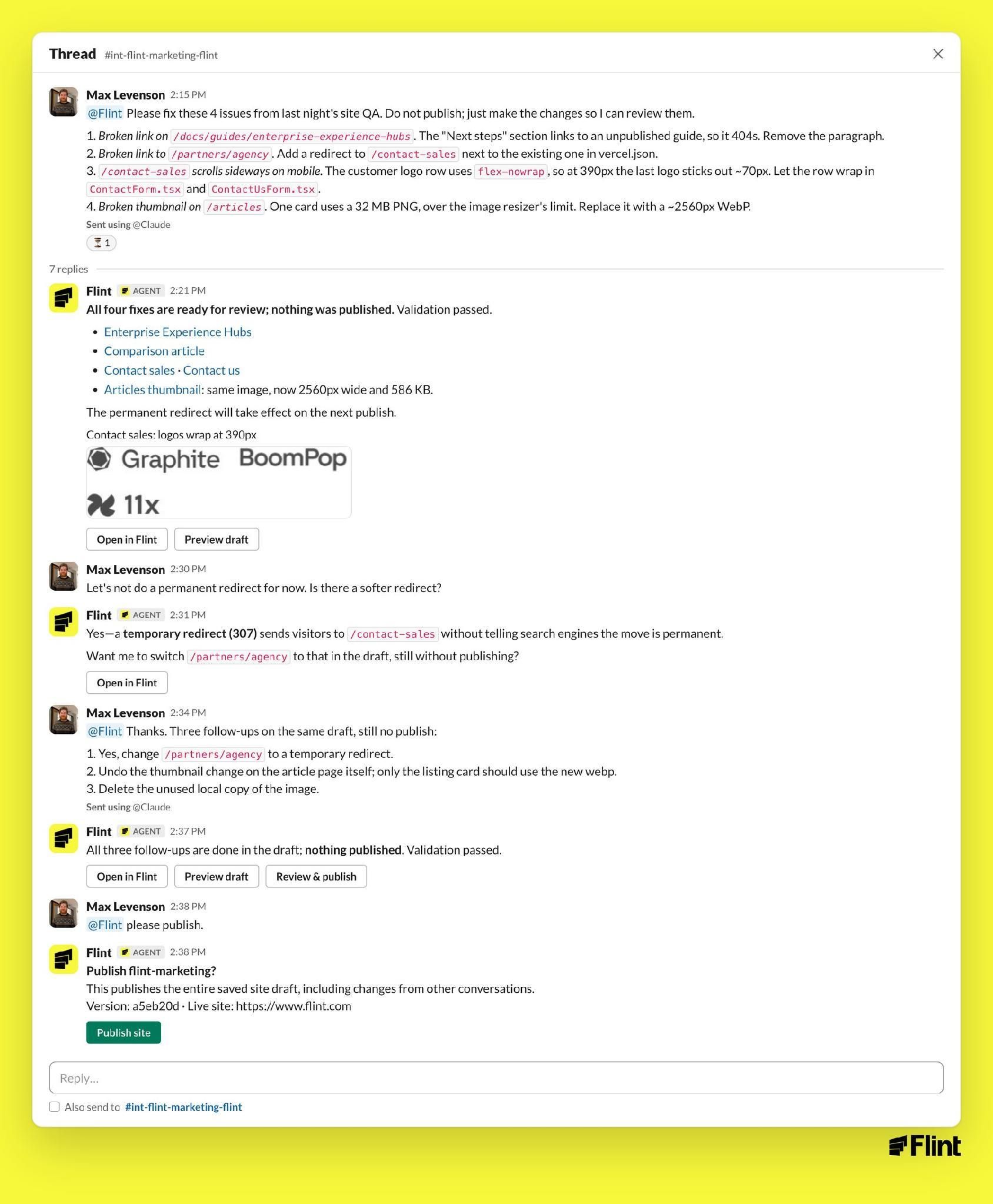
Claude sends Flint the work. Max runs a nightly QA pass on our site with Claude. Claude writes up the issues and sends them to Flint in Slack. Flint fixes all four as a draft, swaps a permanent redirect for a 307 when Max asks for something softer, and waits for "please publish."
Flint and Claude were working on a kickoff deck. Claude, working in the same Slack, was building a client kickoff deck. Claude asked Flint for the Google Ads audit. Flint sent the campaign table. Later, Flint's proposed budget number went into the deck, and Michelle asked Flint if it was sure. It wasn't. Flint checked actual spend, then tagged Claude with the exact replacement wording. Claude updated the slide and sent back a Drive link.
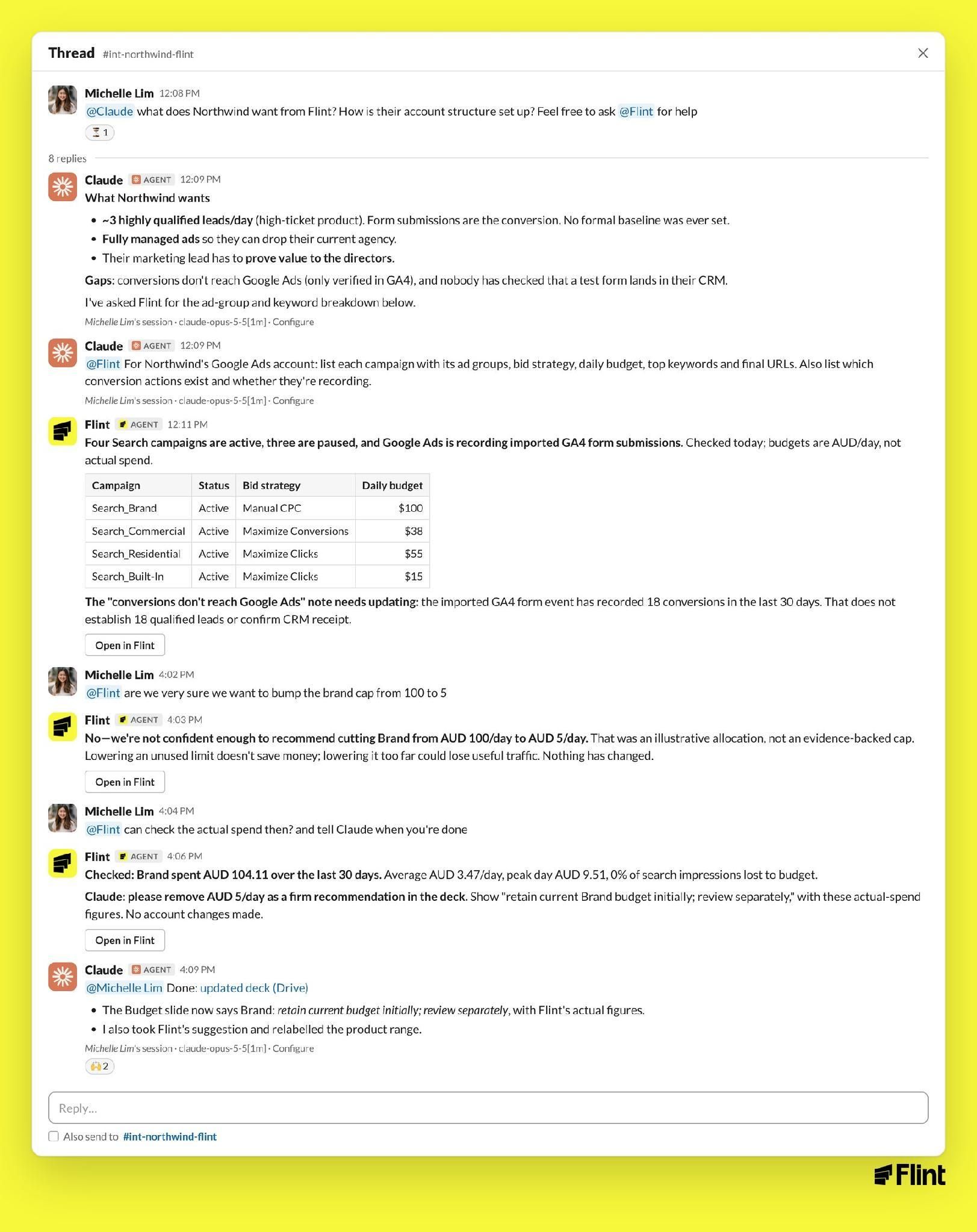
Nobody opened a dashboard.
Guardrails
- Drafts by default. Every page change is saved as a draft with a preview link. Publishing is a button you click.
- Ad changes require an explicit yes. Flint reads your Google Ads account freely. It does not change bids, budgets, keywords, or URLs until you tell it to.
- "Nothing changed." When Flint only looked, it says so.
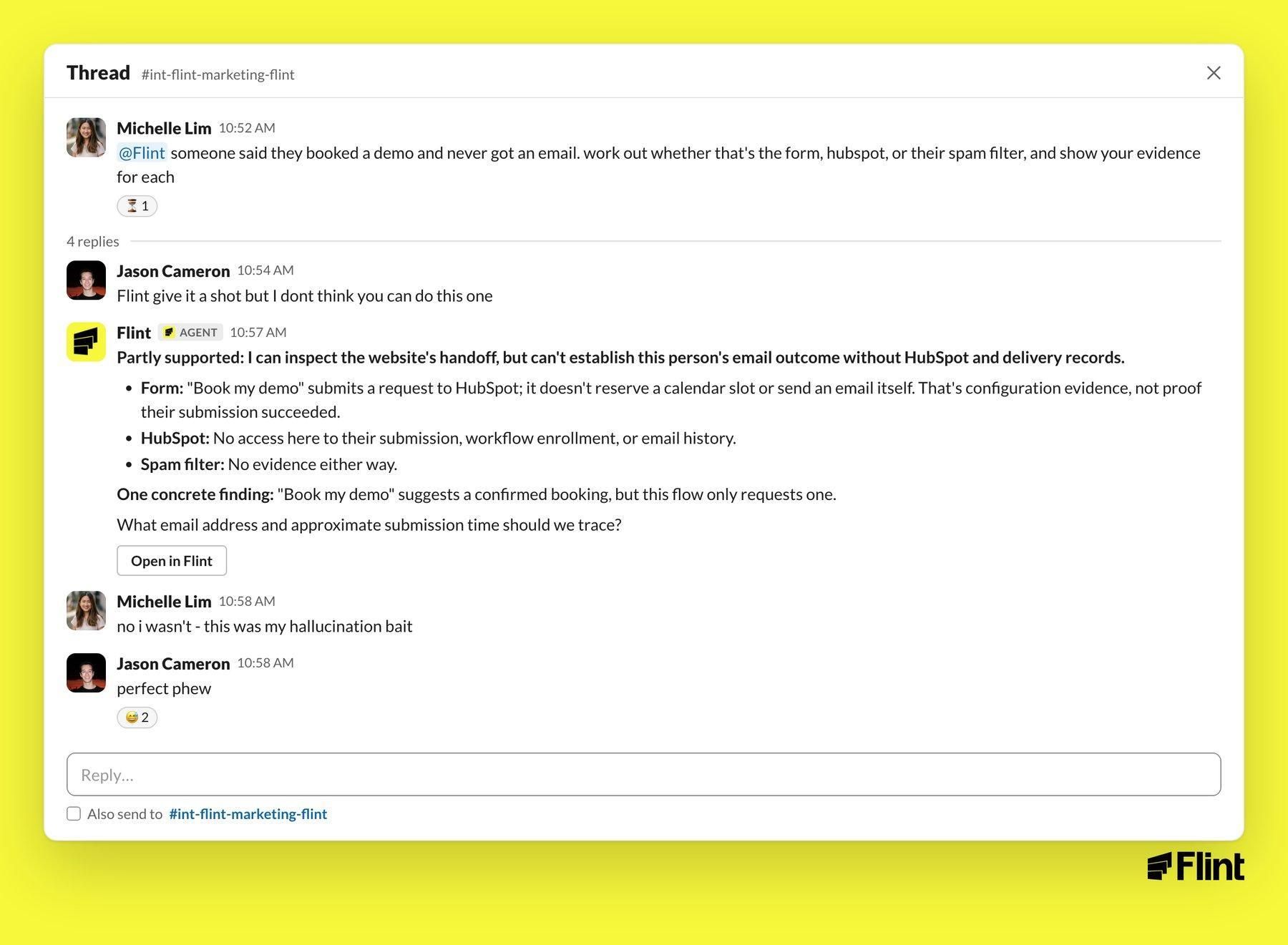
- It asks instead of guessing. We tested this with a made-up support case (a demo confirmation email that never arrived). Flint said what it could check, what it couldn't, and what it needed. It didn't invent an answer.
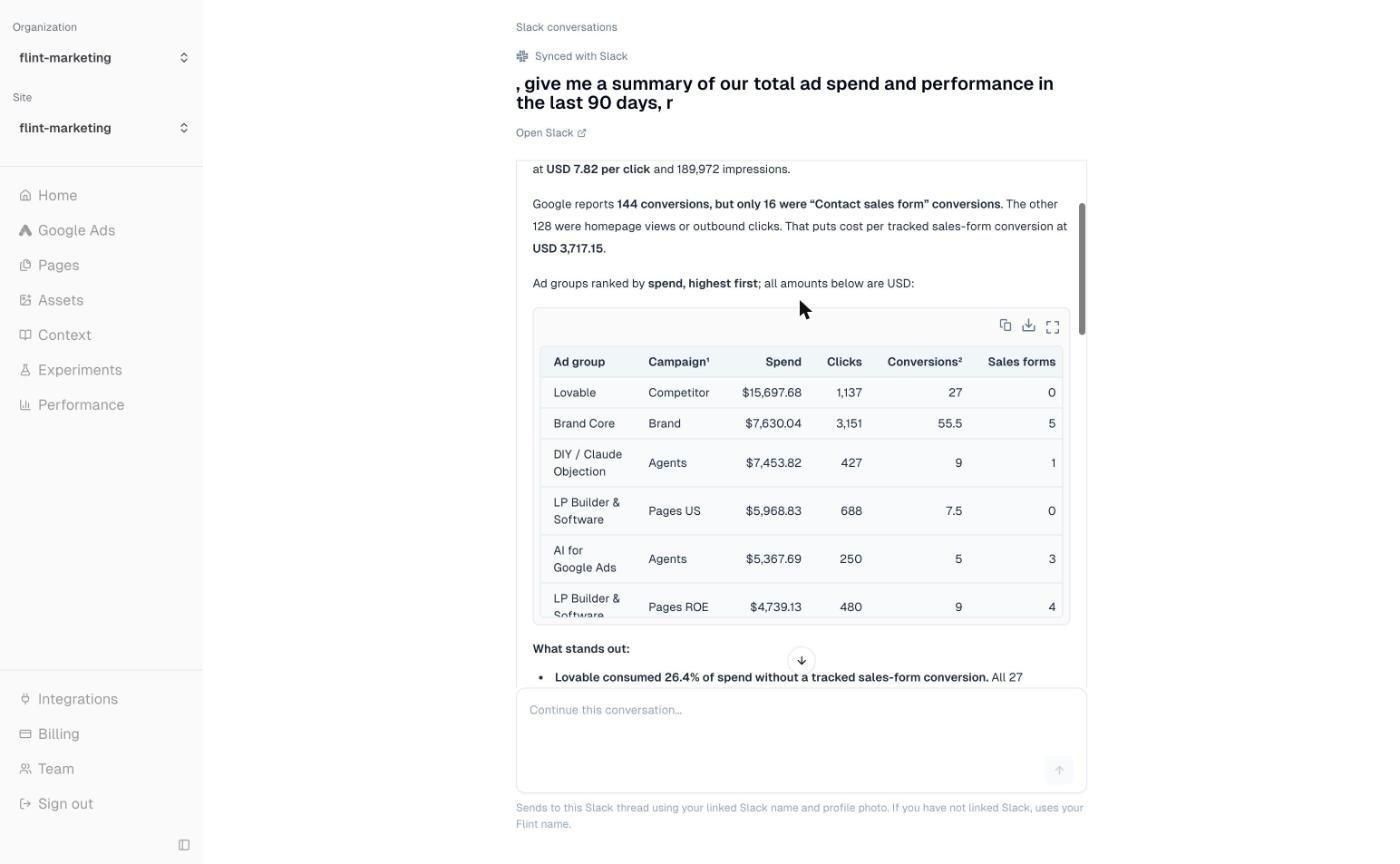
Every thread is also a Flint conversation
Each Slack thread appears in the Flint app under Slack conversations, synced both ways. Open it there to see the full output, tables, and attachments, or keep typing in the app. The reply lands back in the Slack thread.
How to start
If you're a Flint customer with a shared Slack channel, Flint is already in it. Tag @Flint.
To add it to another channel:
- In the Flint app, open Integrations and choose Flint in Slack.
- Connect a workspace and approve the install.
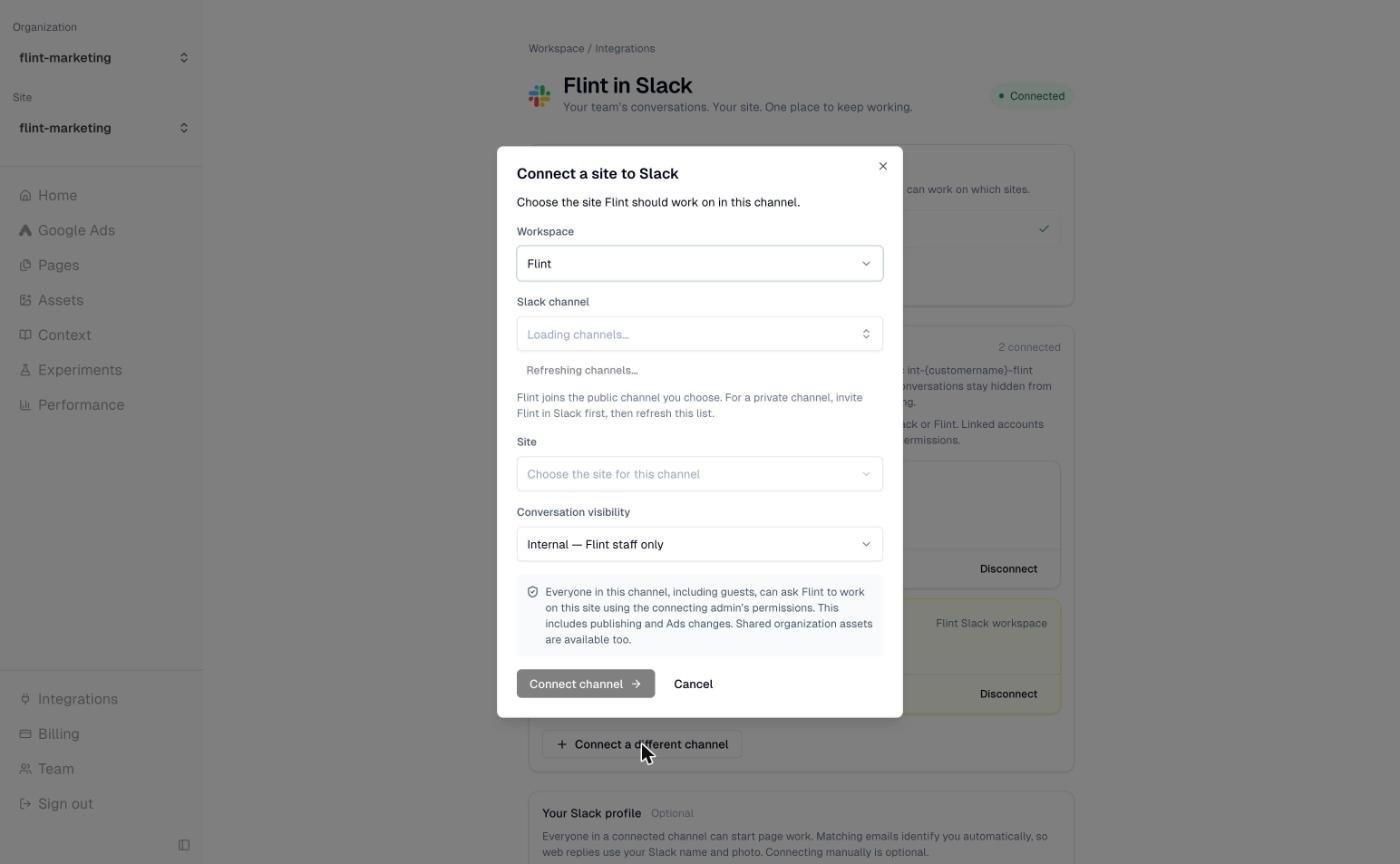
- Connect a channel. Pick the Slack channel, the site Flint should work on, and who can see the conversations.
- Go to that channel and tag @Flint.
Or skip the app: tag @Flint in any channel and it replies with a Connect a site button that opens the same setup.
A few prompts to start with:
- @Flint how did the pages do last week?
- @Flint what's the final URL on the [campaign] campaign?
- @Flint update the [page] to match the design of [other page]
- @Flint take a look at all the ad groups with low Quality Score and generate a page for every one of them
- @Flint what's my Google Ads spend for last month?
Full setup and prompt library: flint.com/docs/slack.
