Key Takeaways
- Claude Design and Webflow serve fundamentally different purposes - Claude Design creates interactive prototypes and pitch decks from text prompts, while Webflow builds production websites with full CMS capabilities. Understanding this distinction prevents wasted effort on impossible "migrations."
- The Webflow Claude Connector enables AI-assisted site management - This MCP-based integration gives Claude direct read/write access to Webflow sites for bulk CMS updates, SEO audits, and content generation without code.
- Claude Design token limits require careful planning - Users on Pro plans can exhaust 80% of their weekly allowance in just 30 minutes, making the tweaks panel essential for preserving usage.
- Marketing teams need a separate solution for campaign landing pages at scale - Webflow excels at primary website management, but teams requiring dozens or hundreds of campaign pages benefit from purpose-built tools that eliminate design and engineering bottlenecks.
- Flint addresses the campaign page velocity gap - With MCP and API integrations connecting to Claude, Zapier, Clay, and CRMs, marketing teams generate on-brand landing pages in minutes instead of weeks.
Understanding the Need for Website Migration: Claude Design to Webflow
Claude Design, launched in April 2026, runs on Claude Opus 4.7 and transforms plain English descriptions into interactive prototypes, pitch decks, and marketing collateral. It creates working HTML, CSS, and JavaScript outputs rather than static images. Available to Claude Pro, Max, Team, and Enterprise subscribers, Claude Design excels at rapid ideation and stakeholder presentations.
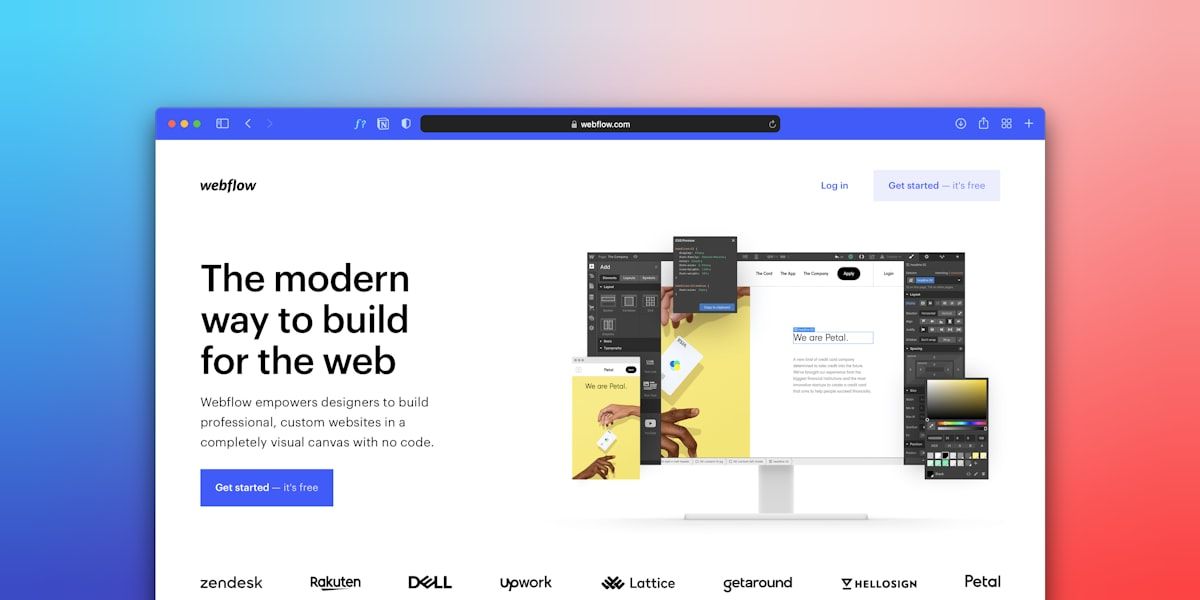
Webflow operates in an entirely different category. It functions as a visual website builder with production-grade hosting, a powerful CMS supporting up to 20,000 items and 40 collections on Premium plans, and collaborative editing capabilities. Where Claude Design helps you explore and validate ideas quickly, Webflow handles the long-term operation of your actual website.
The Actual Workflow Between These Platforms
- Claude Design - Explore concepts, create stakeholder presentations, and generate initial design direction
- Webflow - Build and maintain your production website with full CMS control
- Flint - Scale campaign landing pages when marketing velocity outpaces your design and development capacity
The confusion about "migrating" typically stems from teams that prototype in Claude Design, then realize they need those concepts implemented in a production environment. That's not migration; that's the normal design-to-production handoff every digital team navigates.
Your Website Migration Checklist: Preparing for a Smooth Transition
Before moving any website content to Webflow, systematic preparation prevents ranking drops, broken links, and lost conversions.
Content Inventory and Assessment
- Export all existing page content, including meta titles, descriptions, and header hierarchy
- Document current URL structures for redirect mapping
- Screenshot key pages to preserve design references
- Identify which content performs well (keep) versus underperforms (revise or remove)
Technical SEO Preparation
- Run a complete crawl of your existing site to identify all indexable URLs
- Create a comprehensive redirect map linking old URLs to new Webflow URLs
- Export your current sitemap.xml and robots.txt configurations
- Document all structured data and schema markup currently in place
Analytics and Tracking Setup
- Export historical analytics data before any domain changes
- Document all tracking scripts (Google Tag Manager, analytics platforms, marketing automation)
- Plan for analytics continuity during and after migration
Stakeholder Communication
- Establish realistic timelines for each migration phase
- Define approval workflows for content review
- Set expectations about potential short-term ranking fluctuations
The teams that struggle with migrations typically skip inventory and redirect mapping. Every missing redirect represents potential lost traffic and authority. Every undocumented tracking script creates gaps in your marketing attribution.
Essential Website Migration Tools: Streamlining Your Move to Webflow
The right tools transform migration from a manual grind into a manageable project. Several key capabilities accelerate the transition to Webflow.
The Webflow Claude Connector represents the most significant recent addition to migration tooling. This native MCP integration gives Claude direct access to Webflow site management without code or terminal setup. It handles CMS operations through the Data API and canvas manipulation through the Designer API.
Setting Up the Webflow Claude Connector
- In Claude, navigate to Settings → Connectors → Browse
- Search for "Webflow" and click Add
- Complete OAuth authorization and select which sites to connect
- Configure approval mode (manual recommended for production sites)
- For Designer API operations, open your site in Webflow Designer and launch the MCP Bridge App
This connector enables bulk operations that would otherwise require hours of manual work. Agencies managing multiple client sites report significant time savings on SEO audits, meta title corrections, and content updates across portfolios.
Content Migration Accelerators
- Use Claude to reformat source HTML from legacy platforms into Webflow-compatible structure
- Generate 301 redirect lists automatically based on URL mapping
- Clean up shortcodes and platform-specific markup that won't transfer
Image and Asset Management
- Optimize images before upload to Webflow's media library
- Document image alt text for accessibility and SEO continuity
- Note that Claude cannot upload images directly to Webflow media library - manual upload required
Deep Dive into Webflow CMS: Managing Your Content Effectively
Webflow's CMS distinguishes it from simpler page builders. Understanding its architecture determines whether you'll find the platform liberating or limiting.
Collections Versus Static Pages
Collections store structured, repeatable content like blog posts, team members, product listings, or case studies. Each collection defines a template, and items automatically inherit that design. Static pages exist independently and work for unique content like your homepage, about page, or contact page.
Dynamic Content Capabilities
- Reference fields connect collections (authors to blog posts, products to categories)
- Multi-reference fields enable many-to-many relationships
- Conditional visibility shows or hides elements based on collection field values
- Dynamic lists display filtered, sorted content anywhere on your site
Editor Versus Designer Modes
Designer mode provides full visual control over layouts, styles, and interactions. Editor mode gives content teams a simplified interface for updating text, images, and CMS items without touching design elements. This separation lets marketing teams update content independently while preserving design system integrity.
Webflow CMS Limitations to Consider
- API rate limits require pagination for bulk operations on 500+ CMS items
- The Designer API requires Webflow Designer to remain open during canvas manipulation
- Complex filtering and sorting may require custom code or third-party solutions
For teams needing to publish high volumes of campaign-specific landing pages, Webflow's CMS structure may create bottlenecks. Each page requires manual creation, design application, and content entry, even with Editor mode simplification.
Webflow Pricing Explained: Finding the Right Plan for Your Business
Webflow's pricing structure separates site plans from workspace plans, creating two distinct cost components.
Site Plans (per site, billed separately)
- Basic: $15/month - 2,000 CMS items, 20 collections
- Premium: $25/month - 20,000 CMS items, 40 collections
- Enterprise: Custom pricing - Unlimited items and collections
Workspace Plans (team access)
- Full Seat: $39/month - Designer access plus admin capabilities
- Limited Seat: $15/month - Content editing only
- Reviewer: Free - Comments only (up to 100)
Team plans start at $2,500/month annually with 10 seats included. Additional AI credits cost $20/month for 2,000 credits beyond included allowances.
Navigating Webflow: Where to Find Help and Resources
Webflow's learning curve requires investment, but extensive resources exist to accelerate proficiency.
Official Learning Resources
- Webflow University provides structured courses from beginner to advanced
- Official documentation covers every feature with step-by-step guides
- The Webflow forum hosts community discussions and troubleshooting threads
- Customer support availability varies by plan tier
Third-Party Expertise
- Certified Webflow experts and agencies handle complex implementations
- YouTube tutorials cover specific techniques and workflows
- Template marketplaces provide starting points for common site types
The Webflow Claude Connector itself serves as an accelerator. Once connected, you can prompt Claude with questions like "Audit all pages for meta titles over 60 characters and propose corrections" or "Create a blog post in the Posts collection with this content." Claude handles the CMS operations while you focus on strategy.
Common Stumbling Points and Solutions
- Steep learning curve - Budget 2-4 weeks for basic proficiency, longer for advanced features
- Responsive design complexity - Each breakpoint requires individual attention
- Custom code integration - Requires comfort with HTML, CSS, and JavaScript embeds
- Performance optimization - Image compression, lazy loading, and code cleanup need manual attention
Beyond Core Websites: Scaling Landing Pages with Flint for Growth
The gap between website management and campaign execution creates a bottleneck most marketing teams eventually hit. Your Webflow site handles your primary web presence beautifully. But when you need 50 ABM pages, 30 ad campaign variants, or 100 SEO-targeted landing pages, manual CMS workflows collapse under the volume.
Why Traditional Landing Page Builders Fall Short for Fast-Growth Teams
- Template-based systems produce generic results that dilute brand identity
- Manual design requirements create dependencies on limited designer capacity
- Page-by-page creation cannot match the pace of modern campaign cycles
- Maintaining brand consistency across hundreds of pages becomes impossible
Flint addresses this specific problem. By extracting your complete design system from your existing homepage URL, Flint generates production-ready landing pages that appear hand-crafted by your design team. Typography, colors, spacing, components, and interactive elements transfer automatically, no manual brand guide recreation required.
Campaign Page Types Flint Supports
- ABM account pages for target enterprise prospects
- Ad campaign landing pages matching specific ad groups
- SEO and SEM pages targeting keyword clusters
- Event registration and webinar pages
- A/B test variants for conversion optimization
- Industry and geographic segment pages
11x achieved 3x conversion rate increases with Flint-built pages, with their first page boosting conversions 20% immediately. Amigo created 341 tailored account-based pages in five minutes. These results come from eliminating the traditional tradeoff between speed and quality.
Flint: The Alternative to Manual CMS Workflows
Where Webflow excels at primary website management, Flint specializes in marketing velocity. The platform's architecture reflects this focus through several key capabilities.
Proprietary Brand Extraction Technology
Flint captures your complete design system from your homepage URL in a one-time, five-minute setup. This includes brand tokens, component libraries, typography, spacing, colors, and interactive elements. Unlike template systems that swap colors into generic layouts, Flint understands and replicates your actual brand implementation.
Built-In CRO Capabilities
Flint's agents are trained on the latest best practices of conversion rate optimization. Every generated page incorporates proven conversion principles, CTAs, layout patterns, and content hierarchy that drive results, not just aesthetic appeal.
MCP and API Integrations
Flint's MCP integration connects with Claude and other MCP-compatible tools, letting teams create, edit, and publish landing pages through natural conversation. Flint's API connects with Zapier, Airtable, Clay, Relay, and CRMs for programmatic page generation.
With Flint's API and MCP integrations, you can create landing pages directly from Claude, your CRM, Zapier, and other workflow tools. These integrations enable agent-powered workflows that generate hundreds of pages from data sources like Clay lists or CRM records.
Direct Editing Without Code
Marketing teams refine Flint-generated content through click-and-type interfaces. No pull requests, no developer handoffs, no waiting for the next sprint. Changes go live when you're ready.
Users can also apply website brand updates across all pages in Flint quickly. LangChain applied their rebrand across 17 pages in two hours, a task that would require days or weeks of manual CMS updates.
Frequently Asked Questions
What is the actual relationship between Claude Design and Webflow?
Claude Design and Webflow serve complementary rather than competing purposes. Claude Design functions as an AI-powered prototyping tool that creates interactive mockups, pitch decks, and design explorations from conversational prompts. Webflow operates as a production website builder with hosting, CMS capabilities, and long-term site management features. The Webflow Claude Connector creates a separate integration that allows Claude to manage existing Webflow sites through MCP, but this is distinct from Claude Design itself. Teams typically use Claude Design for rapid ideation, then implement approved concepts in Webflow for production deployment.
How do Claude Design token limits affect production workflows?
Claude Design usage consumes tokens from your Claude subscription, with limits resetting weekly per user. Power users on Pro plans can exhaust 80% of their weekly allowance in approximately 30 minutes of intensive design work. The tweaks panel helps preserve allowance by making real-time adjustments without full regenerations. Teams needing consistent Claude Design access for production workflows should consider Max 20x plans at $200/month, which provide 20x the Pro allowance. Token limits apply to individual users and cannot be pooled across team members.
Can I use Flint if my main website isn't on Webflow?
Yes. Flint works alongside any existing CMS platform, including WordPress, Next.js, Framer, and Sanity. The typical deployment places Flint-generated campaign pages on subdomains or folders while your main site remains on your current platform. Flint extracts brand tokens from whatever site you provide during setup, regardless of how that site was built. This platform-agnostic approach lets marketing teams add campaign page velocity without migrating their entire web presence.
What happens to my landing pages if I decide to stop using Flint?
Flint-generated pages produce standard HTML, CSS, and JavaScript outputs. You can export page content and rebuild in your preferred platform, though you would lose the ongoing brand sync and programmatic generation capabilities. The integration approach, running Flint on subdomains while your main site operates independently, means stopping Flint usage affects only your campaign pages, not your primary web presence.
How does Flint handle A/B testing compared to Webflow's native capabilities?
Flint creates A/B test variants instantly as part of its generation capabilities. You can produce multiple versions of landing pages with different headlines, CTAs, layouts, or content approaches, then route traffic to test performance. Webflow requires manual creation of each variant or third-party testing tool integration. For teams running continuous conversion optimization across dozens of campaign pages, Flint's variant generation significantly accelerates testing velocity.