What Flint can do
- •Read only what the service account was granted.
- •Run only the queries the roles you grant allow.
- •Run queries billed to your Google Cloud project (120-second limit, 50,000 rows max, refused over 100 GiB billed).
- •Label every query
source: flintin job history.
Connect in Flint
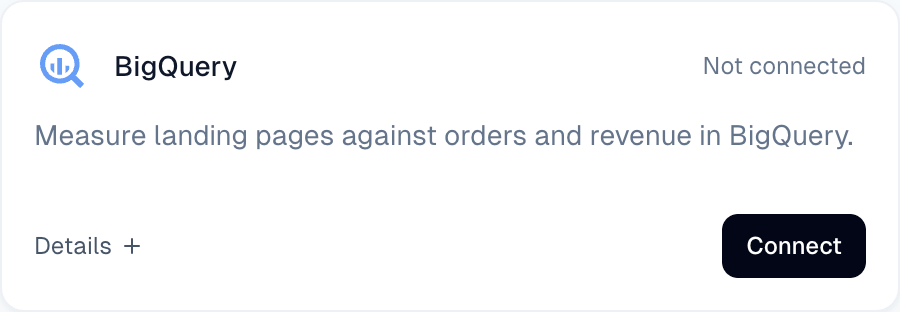
- 1.Open Integrations in the left sidebar, find BigQuery, and click Connect.
- 2.In Connect Flint to BigQuery, click the service account address to copy it. It belongs to Flint, is for this site only, and stays the same if you close and reopen the dialog. Click Copy instructions to copy the address and roles for a data engineer.
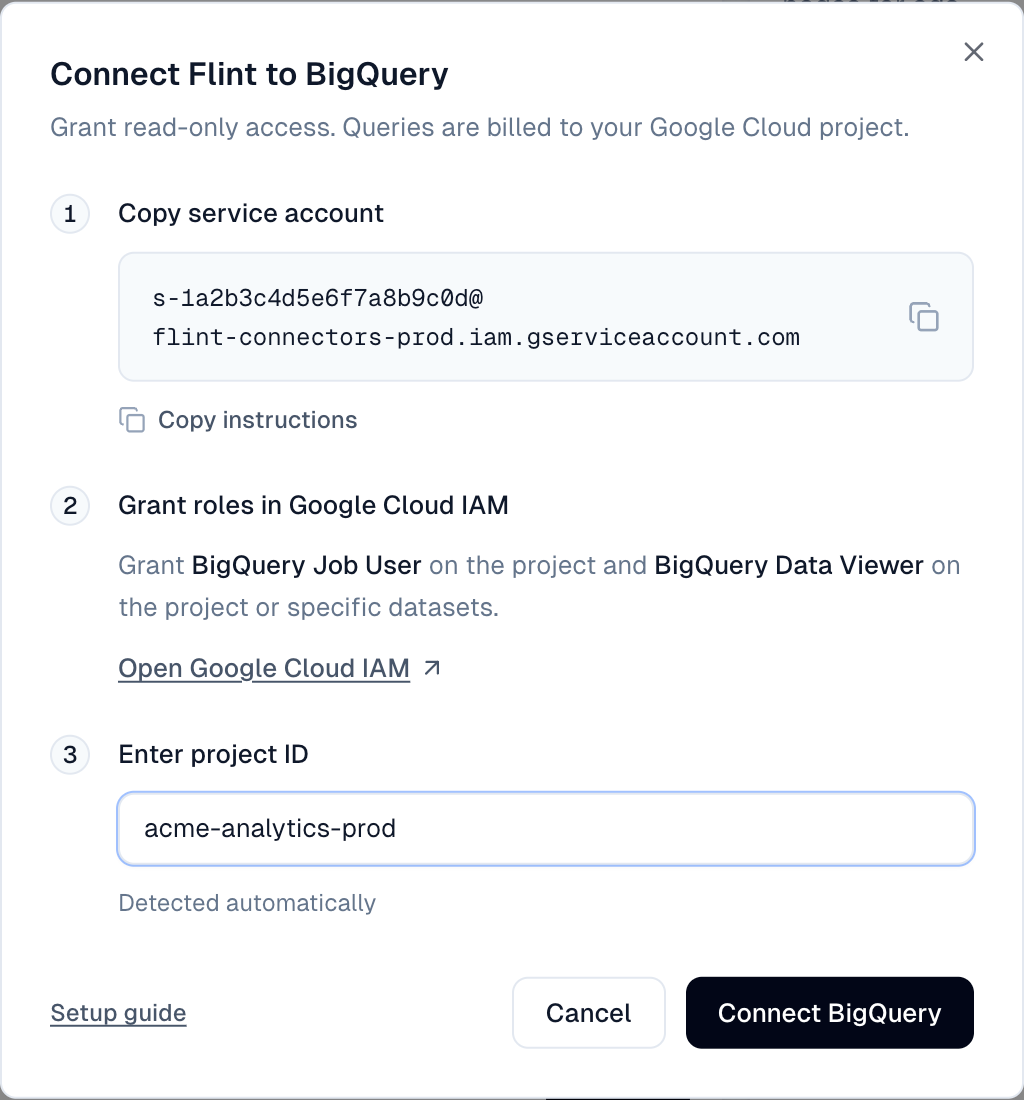
- 3.Click Open Google Cloud IAM (check the project in the header; Google opens your last viewed project) and add the address as a principal with BigQuery Job User and BigQuery Data Viewer on the project. Project-level BigQuery Data Viewer is recommended so Flint can explore datasets and tables on its own. If you need tighter scope, grant BigQuery Data Viewer on specific datasets instead (avoid table-only access if possible, since Flint cannot discover tables granted one by one).
Optional CLI equivalent:
gcloud projects add-iam-policy-binding <project> --member="serviceAccount:<service account>" --role="roles/bigquery.jobUser"
gcloud projects add-iam-policy-binding <project> --member="serviceAccount:<service account>" --role="roles/bigquery.dataViewer"
If your organization uses domain restricted sharing, grants fail until an admin allows Flint's Google Workspace customer ID C00payrjj.
- 4.Back in Flint, type your project ID under Enter project ID. If you wait, Flint fills it in and shows Detected automatically once Google lists the project (this can take a few minutes). With multiple projects, click one after Detected projects:.
- 5.Click Connect BigQuery. Flint runs a test query to confirm it can run queries in the project. It does not check dataset grants; a missing grant appears on the first real question.
- 6.The card shows Connected, the project ID, and the service account address.
Next, ask Flint in chat, for example: "Show revenue by landing page for the last 30 days." With project-level BigQuery Data Viewer, Flint explores your datasets and tables automatically so you don't need to know table names. (With dataset- or table-only access, name the dataset or dataset.table in chat so Flint knows where to look.)
Change what Flint can read
Google checks access on every query; no reconnect is needed. Update access in Google Cloud, or with GRANT and REVOKE ... FROM (ON SCHEMA or ON TABLE). Grants apply at once; revokes take a few seconds.
Troubleshooting
- •"Grant BigQuery Job User on this project and try again.": The job role is missing or was granted less than a minute ago.
- •"Service account is still being set up. Wait a minute and try again.": Wait a minute and click Connect BigQuery again.
- •"Could not connect. Check the project ID and roles.": Check the project ID and roles, then try again.
- •"Could not load service account.": Close the dialog and try again, or contact support.
- •Project ID field stays empty: Google has not listed the project yet. Type the project ID and click Connect BigQuery.
- •"Connected, but no datasets found. Grant BigQuery Data Viewer on the project or a dataset.": You are connected. Flint can't browse your data because BigQuery Data Viewer is missing on the project and its datasets, the project has no datasets, or the grant was made in the last few minutes. Once it is granted, just ask Flint again; there is no need to reconnect.
- •"User does not have permission to query table ..., or perhaps it does not exist": Missing dataset or table grant, or a misspelled name.
- •Refusal mentioning "bytes billed": The query would bill over 100 GiB. Narrow it, for example by date.
- •Organization policy error: See the domain restricted sharing note above.
Disconnect
Click the gear on the card and choose Disconnect. Flint deletes the service account and access ends at once. Reconnecting creates a new account at the same address, so prior access stops working until you grant the roles again. Remove stale entries from IAM.